Danos Router Project
Installation (based on version 2005 from 2020)
You should have at least 8 GB HDD and 4 GB RAM https://danosproject.atlassian.net/wiki/spaces/DAN/pages/425995/Installing+DANOS
- Boot ISO
- install image
- run through setup - in doubt just enter
- reboot
Privileges
https://danosproject.atlassian.net/wiki/spaces/DAN/pages/1638401/Getting+Started
- Operator
- Admin
- Superuser
Configuration Mode symbols
https://danosproject.atlassian.net/wiki/spaces/DAN/pages/1638401/Getting+Started
- + Multinode
- > Non-leaf node
- +> Tag node (multiple non-leaf)
Configuration Basics
https://danosproject.atlassian.net/wiki/spaces/DAN/pages/1998899/Working+with+configuration
Non-config mode
Show System Network Interfaces
operational mode
show interfaces system
show
show arp
show configuration
show configuration all
show configuration path system
show configuration path security
...
Shows all of your own IP addresses regardless of which interface
show dataplane address
show firewall show users (logged in users)
config mode
set system host-name <<hostname>>
set system domain-name <<domain-name>>
Set loopback address and point the DNS name to it
set system static-host-mapping host-name <<hostname>> inet 10.10.128.2
Optionally set an alias:
set system static-host-mapping host-name <<hostname>> alias <<aliasname>>
You could delete it with
delete system static-host-mapping host-name <<hostname>> alias <<aliasname>>
Create default routes
set protocols static route 0.0.0.0/0 next-hop 10.10.128.1 set protocols static route6 ::/0 next-hop 2001:1234:1234:6000::53
Define DNS nameservers
set system name-server 10.10.128.1 set system name-server 2001:1234:1234:6000::53
If you have NOT set the domain-name, you can define the domain search path
set system domain-search domain domain1.de set system domain-search domain domain2.com
Set NTP servers
set system ntp server 2.de.pool.ntp.org set system ntp server 2.nl.pool.ntp.org set system time-zone Europe/Berlin
Grant superuser privileges to a user
set system login user <<username>> level superuser
Update repository cache every x days
set system package auto-sync x
Enable SSH
Interface configuration dhcp
configuration mode
edit interfaces dataplane dp0p8s0
set address dhcp
set ipv6 address autoconf
Interface configuration autoconf configuration mode
edit interfaces dataplane dp0p8s0
set ip disable-forwarding (no idea why it needs to be deactivated though)
set ipv6 address autoconf
Interface configuration static
configuration mode
edit interfaces dataplane dp0p8s0
set address 2001:342:234::1/64
Firewall
- Outgoing connections from Danos cannot be filtered.
- Rule numbers are typically assigned in increments of 10 to leave room for inserting rules later.
- First, a firewall rule with a specific name must be created:
edit security firewall name wantofirewall
set default-action drop
description "all packets from the internet hitting this firewall"
edit rule 10
set action accept set description "allow IPv6 ssh from oldlan"
set protocol tcp set source address 2001:1234:1234:1b::/64
set destination port ssh
set destination addreess 2001:1234:1234:6000::64
commit
DHCP Server
https://docs.huihoo.com/vyatta/6.5/Vyatta-Services_6.5R1_v01.pdf
set service dhcp-server disabled false
set service dhcp-server listento interface dp0s19
set service dhcp-server shared-network-name LAN1 subnet 192.168.81.0/24 start 192.168.81.100 stop 192.168.81.150
set service dhcp-server shared-network-name LAN1 subnet 192.168.81.0/24 default-router 192.168.81.1
PPPoE
configuration mode
edit interfaces dataplane dp0p10s0
set resources chap-secrets user nc-username3@netcologne.de secret PASSWORT
set interfaces pppoe pppoe0 interface dp0p8s0
set interfaces pppoe pppoe0 chap-user "nc-username3@netcologne.de"
set interfaces pppoe pppoe0 default-route
set interfaces pppoe pppoe0 connect-on-demand
set interfaces pppoe pppoe0 name-server
set interfaces pppoe pppoe0 mtu 1492
Commit changes
configuration mode
commit
optional:
commit comment changedescription
Discard changes
discard
Provisioning Danos in Proxmox
Prerequisite is an existing Proxmox instance where the Danos image has already been deployed (see link under # Links).
Create VM
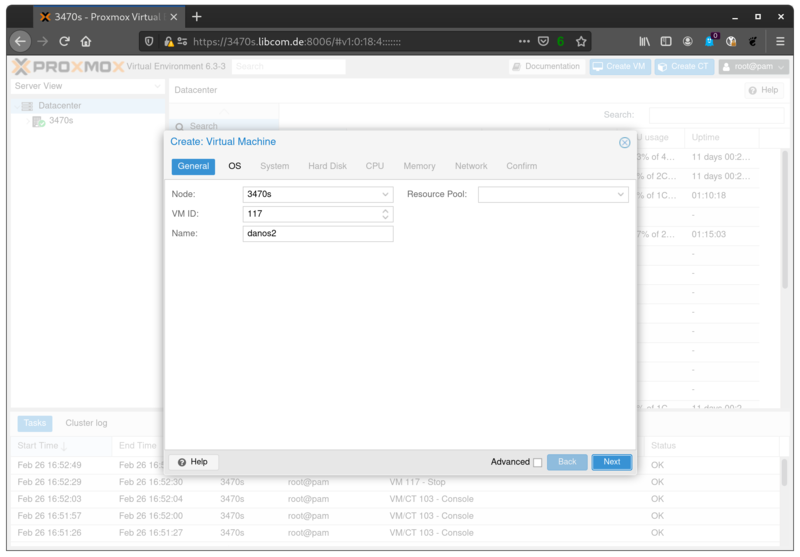
Select ISO for installation

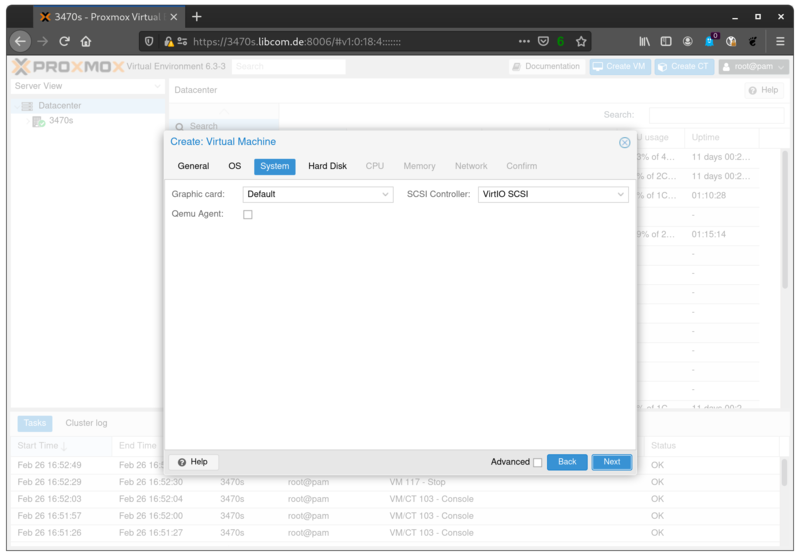
Controller
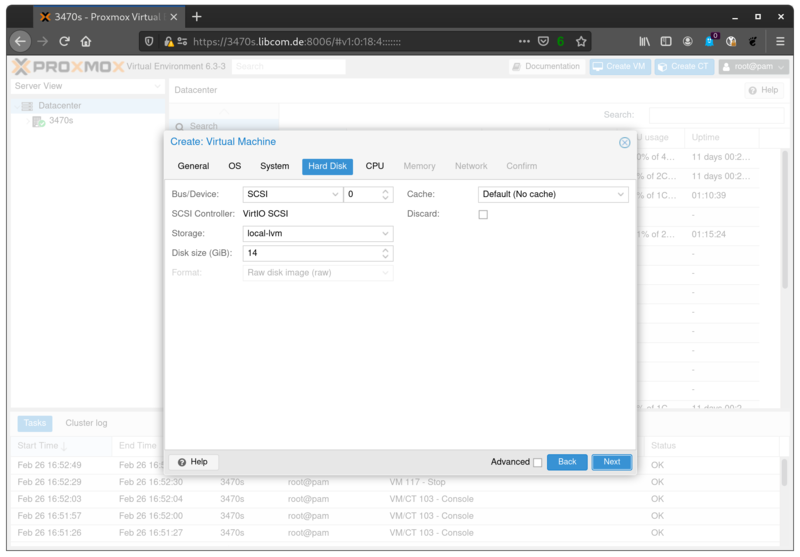
Storage
4 GiB is sufficient for an installation, but at least 8 GiB of disk storage is recommended.
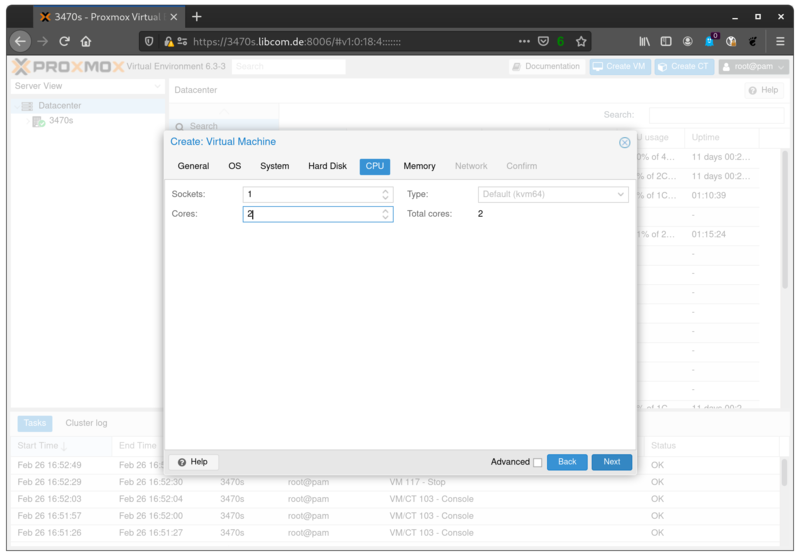
CPU cores
For the demo 2 cores suffice, but at least 4 cores are recommended. A maximum of 128 cores are supported.
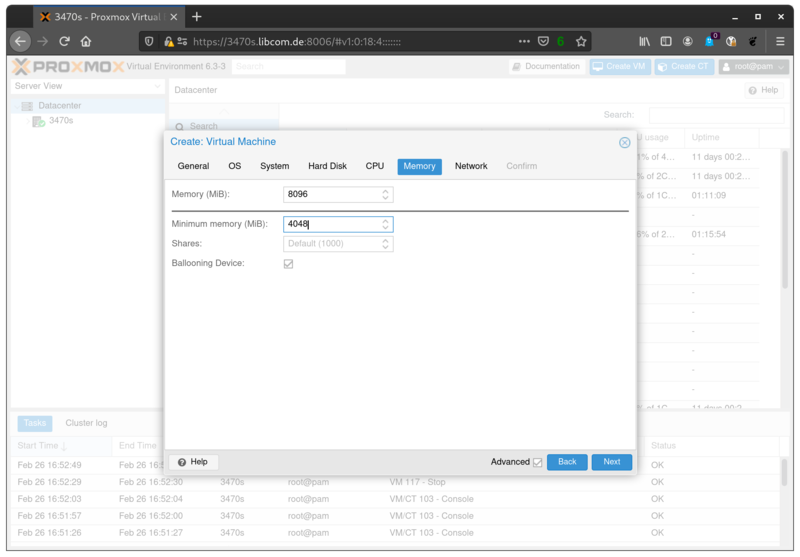
RAM
2 GB RAM is the minimum requirement, 4 GB RAM or more is recommended.
Upstream NIC
The wizard initially lets you create only one card.

Confirm

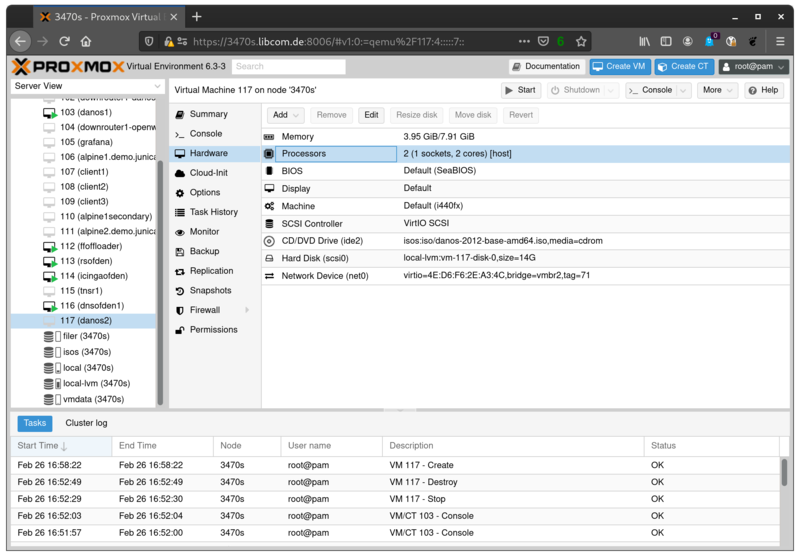
CPU flags
In my case it was necessary to set the processor type to host, otherwise the dataplane could not be configured.
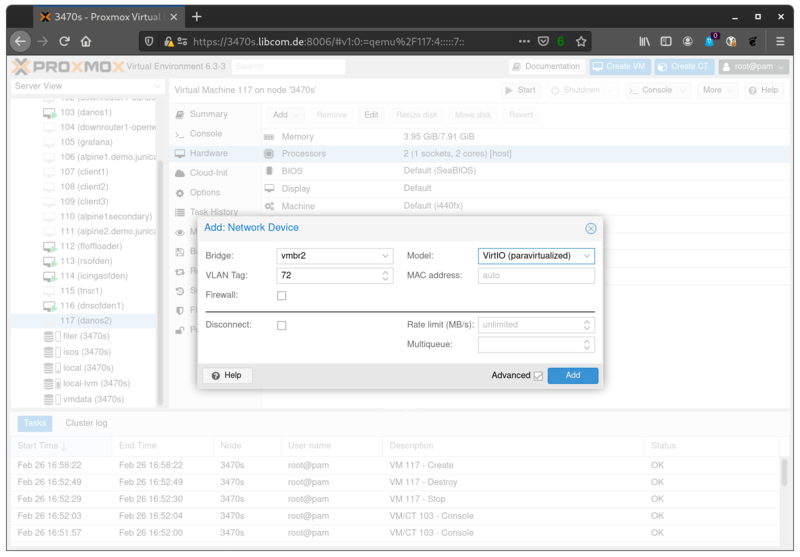
Downstream NIC
Add another network card for the downstream clients
Links
- Homepage: https://www.danosproject.org/
- Wiki: https://danosproject.atlassian.net/wiki/spaces/DAN/overview
- Bugtracker: https://danosproject.atlassian.net/jira/projects?selectedProjectType=service_desk
- Service Desk: https://danosproject.atlassian.net/servicedesk/customer/portals
- Latest release: https://danosproject.atlassian.net/wiki/spaces/DAN/pages/819201/Releases
- Download release 2012: https://s3-us-west-1.amazonaws.com/2012.repos.danosproject.org/2012/iso/danos-2012-base-amd64.iso
- Release notes for release 2012: https://danosproject.atlassian.net/wiki/spaces/DAN/pages/894894119/DANOS+2012+Release+Notes